Co-developing a concept together with dog trainers to improve workflow efficiency
Nov 2025 – Jan 2026For a participatory design course, my group teamed up with a B2C dog training company, Hund i Balans, to explore how a UX solution could help their workflow.
The two dog trainers relied on manual and fragmented documentation regarding private training lessons, making it difficult to access and administrate internal information efficiently.
Create a joint system in which the trainers can easily access and administrate information, while respecting existing work practices.
An internally shared client database where they can find and share client information and lesson notes.
Hund i Balans
UX Designer
Four students
Contextual inquiry, affinity diagram, future workshop, participatory prototyping & Design Studio critique
Figma, Figjam & FigmaMake (AI)
The first step was to really understand the context, user behaviour and needs. In our team we conducted a contextual inquiry, observing and interviewing a private teaching session between the dog trainers and a client to understand their workflow.
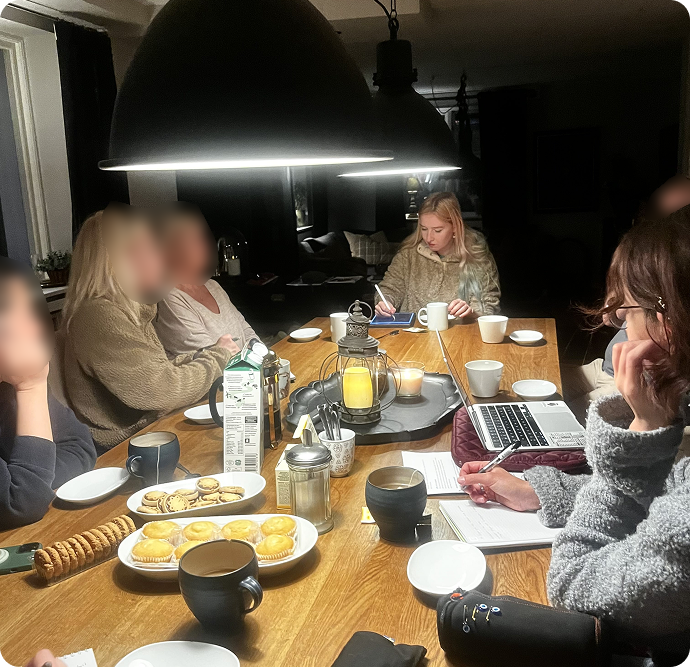
During contextual inquiry we observed and took notes
We analysed the collected data using an affinity diagram in figjam, which helped us identify several pain points and insights.
Following the initial research workshop, we held a future workshop to explore and prioritise different problem spaces and solutions.
This workshop was used to understand the challenges they faced and find what we could help them with in the project.
The trainers prioritised the following areas: selling, booking, follow-up, and internal customer database. We developed 4 design concepts and continued with an internal database with client profiles.
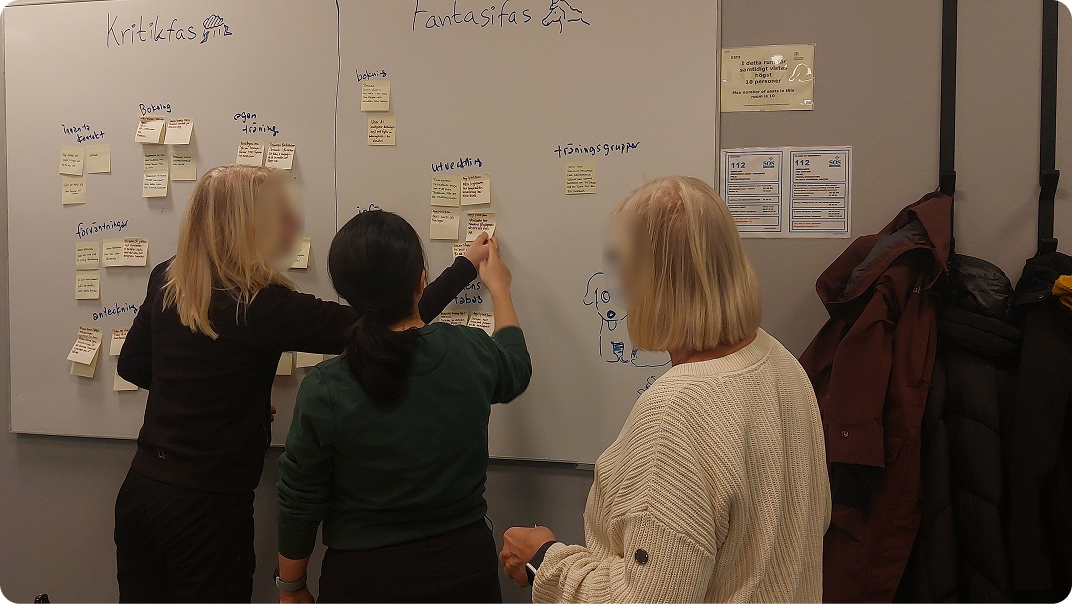
Participants reflecting on different ideas in three phases: Critique, Fantasy and Implementation phase
The trainers expressed that they were a bit reluctant with technology because it felt complicated and not adapted to their needs as dog trainers. So, creating prototypes enabled them to create a common ground for what type of system they needed and felt comfortable with.
They created storyboards and wireframes to define the role and specify which functions they wanted for the client database system. The central role for the system was to enable both of the trainers to access notes, collect fragmented contact information across channels and to help them not to rely on their memory to follow up with their customers.
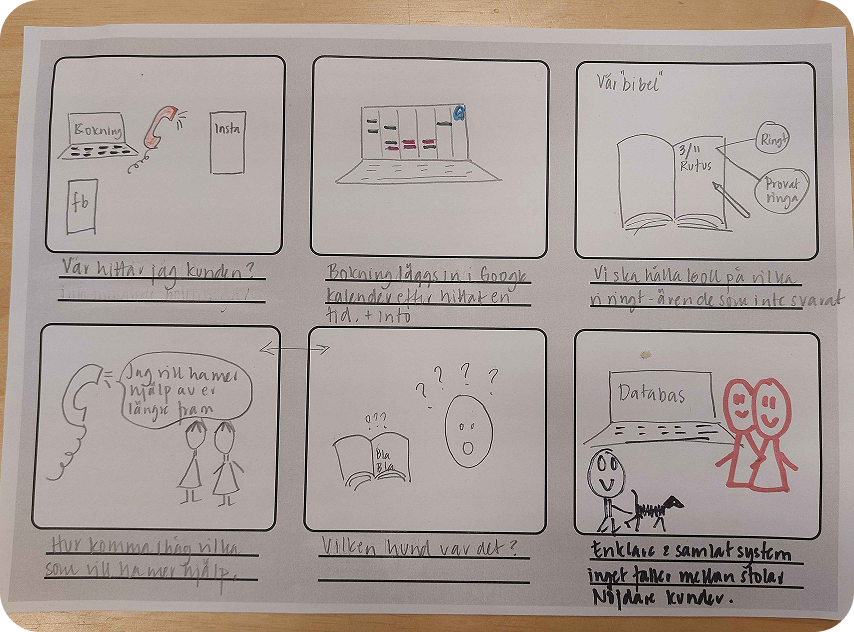
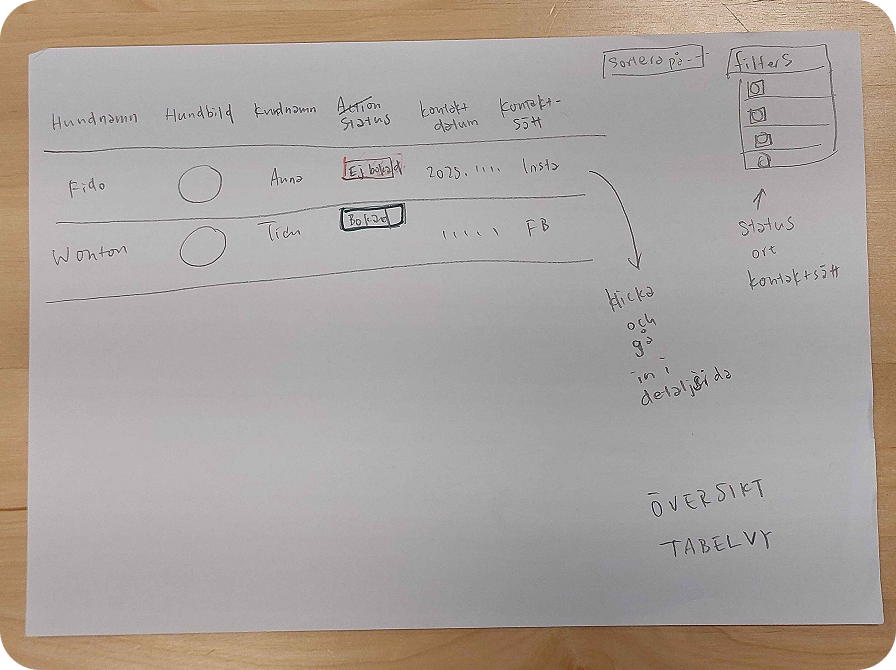
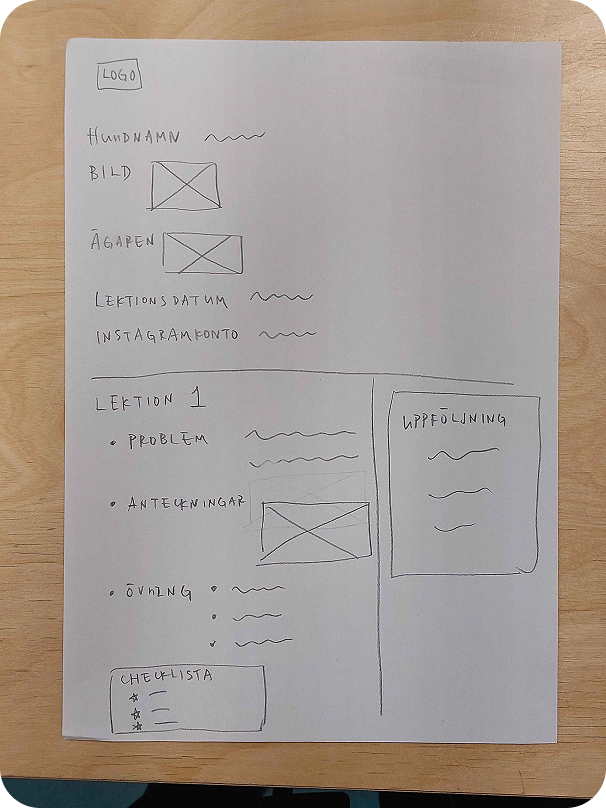
Participants' storyboards to reflect the role of a client database in their work practice and wireframes to specify functions and layouts.
They also did rapid prototyping with FigmaMake (AI) based on their wireframes. By letting them also design with interactions, we got insight on what they liked and understood well with the system, and became a base for design work regarding functions, layout and vocabulary.
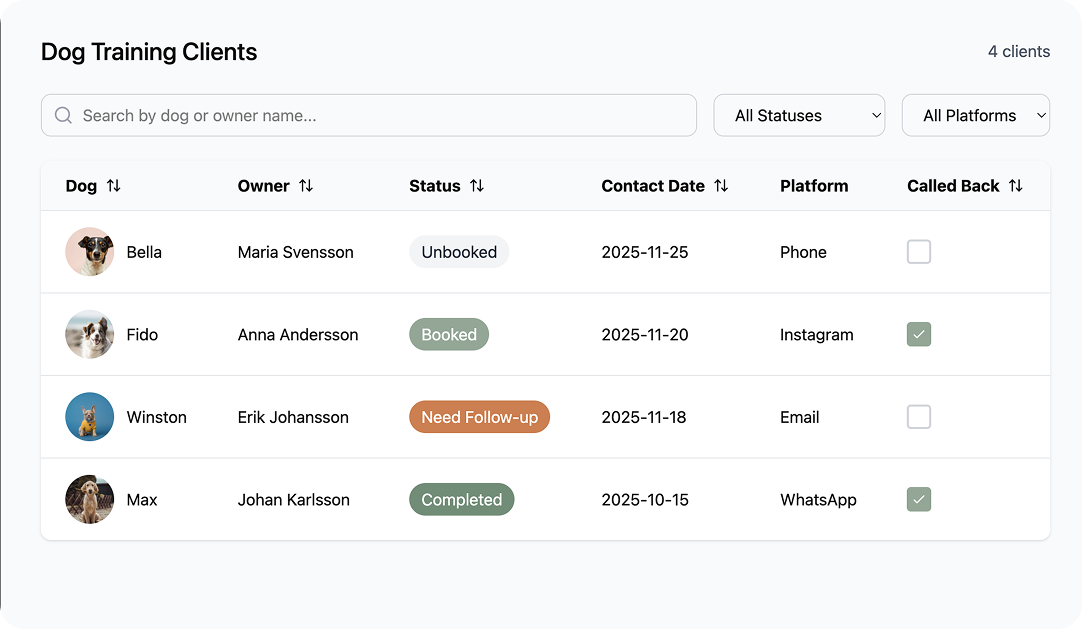
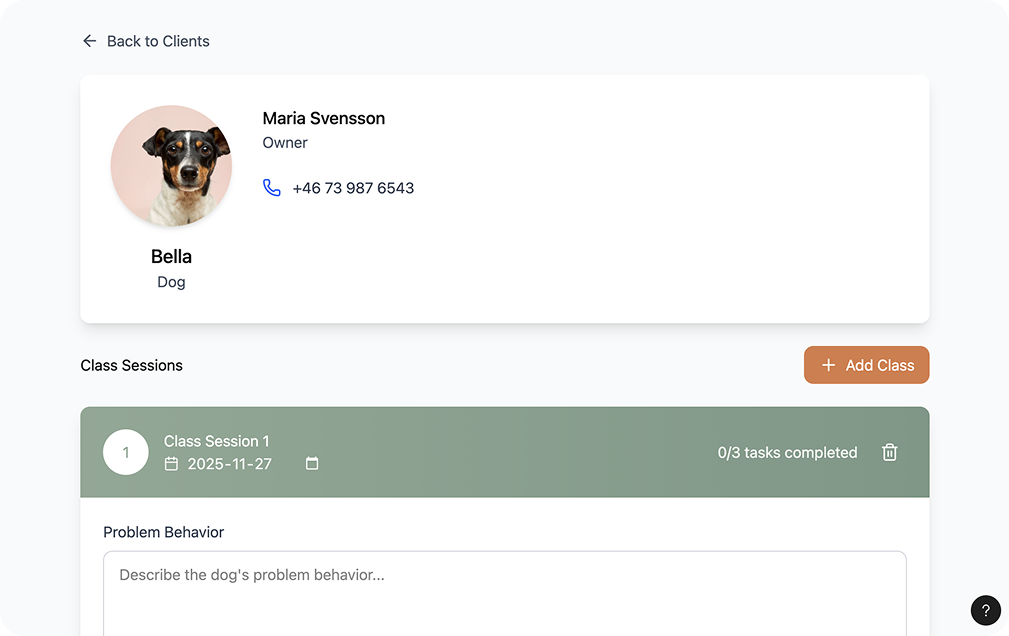
Participants' rapid mockup with AI
We analysed the material from the prototype workshop to identify the desired functions based on their feedback.
The functions tied closely to reducing their reliance on memory to keep track of client's progress, a mutual platform they can check for information and notes as well as bridging individual work.
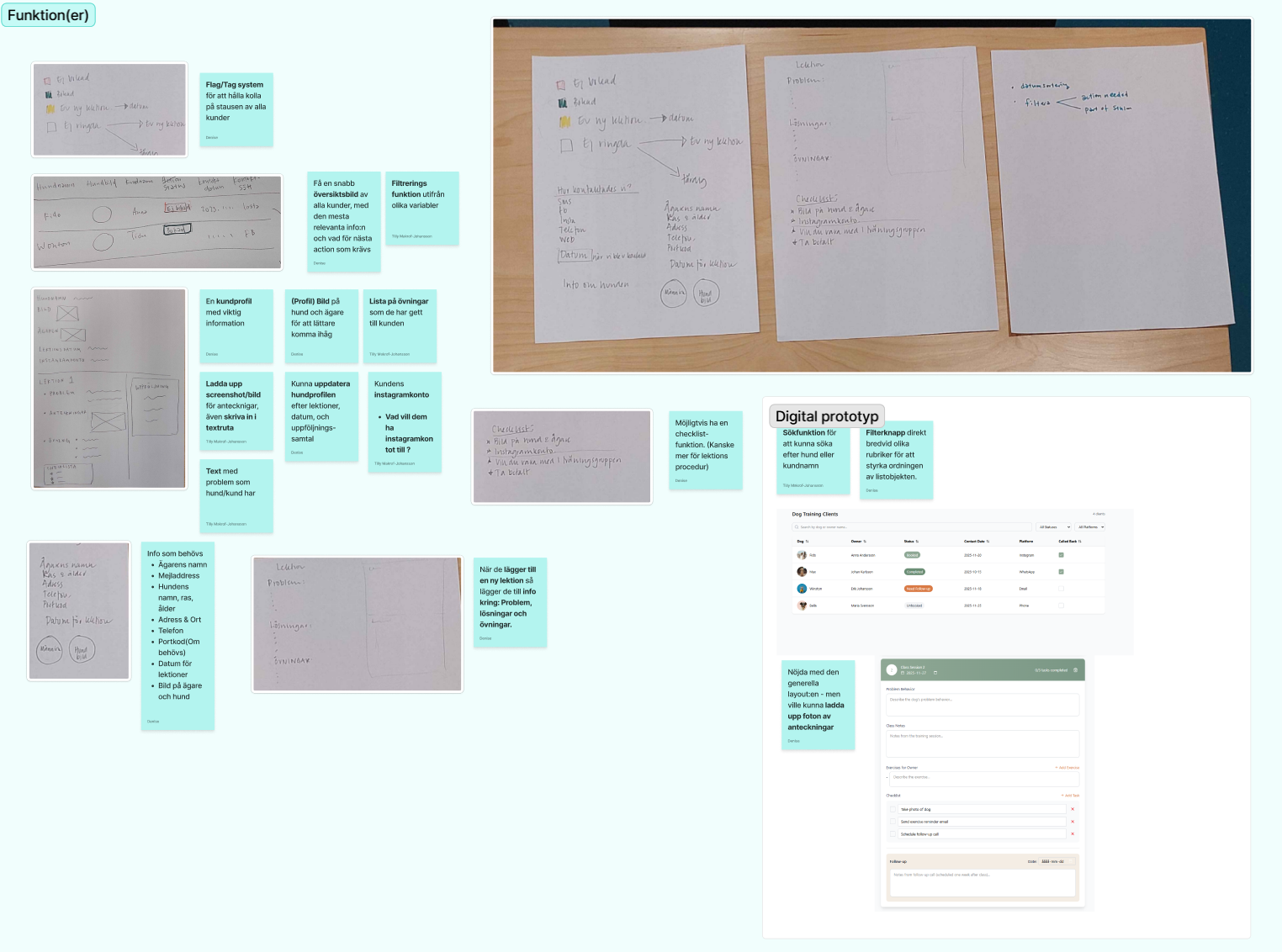
Analysis of the participants' prototypes and feedback
In the design team we created individual wireframes to iterate on the insights and feedback from the earlier prototyping session. My wireframes focused on information architecture for an overview, tracking clients' status throughout the client journey, an easy way to create profiles for each client and their dog, and how the handwritten notes could be uploaded and stored digitally in simple and user friendly ways.
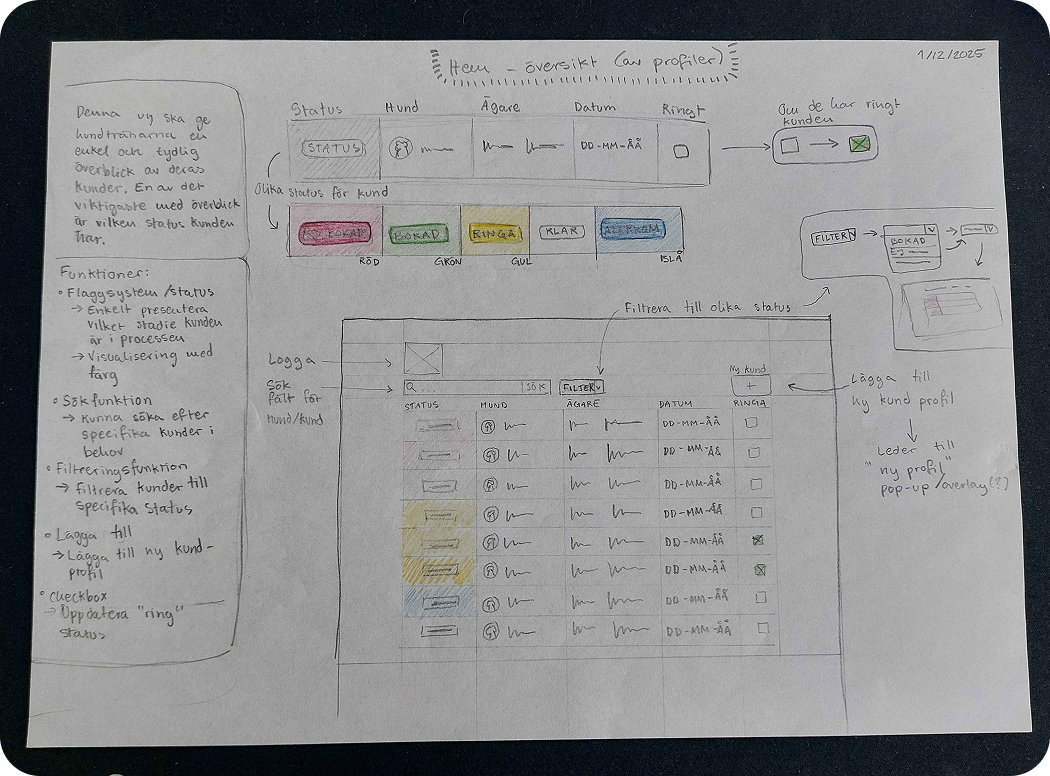
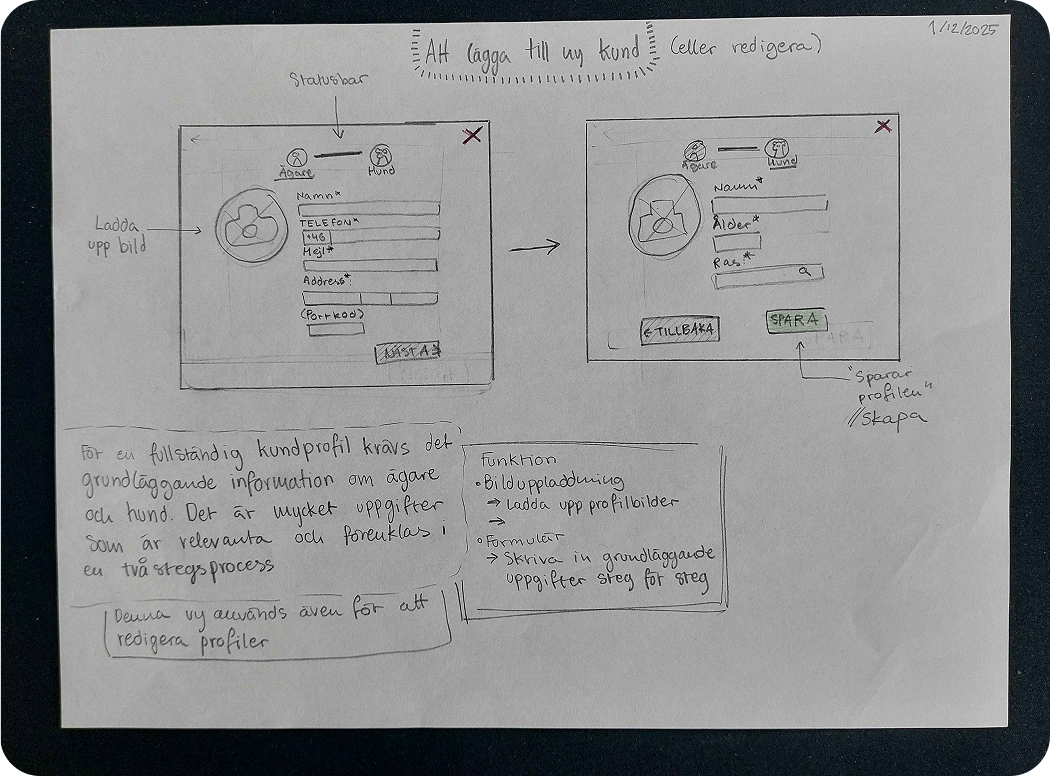
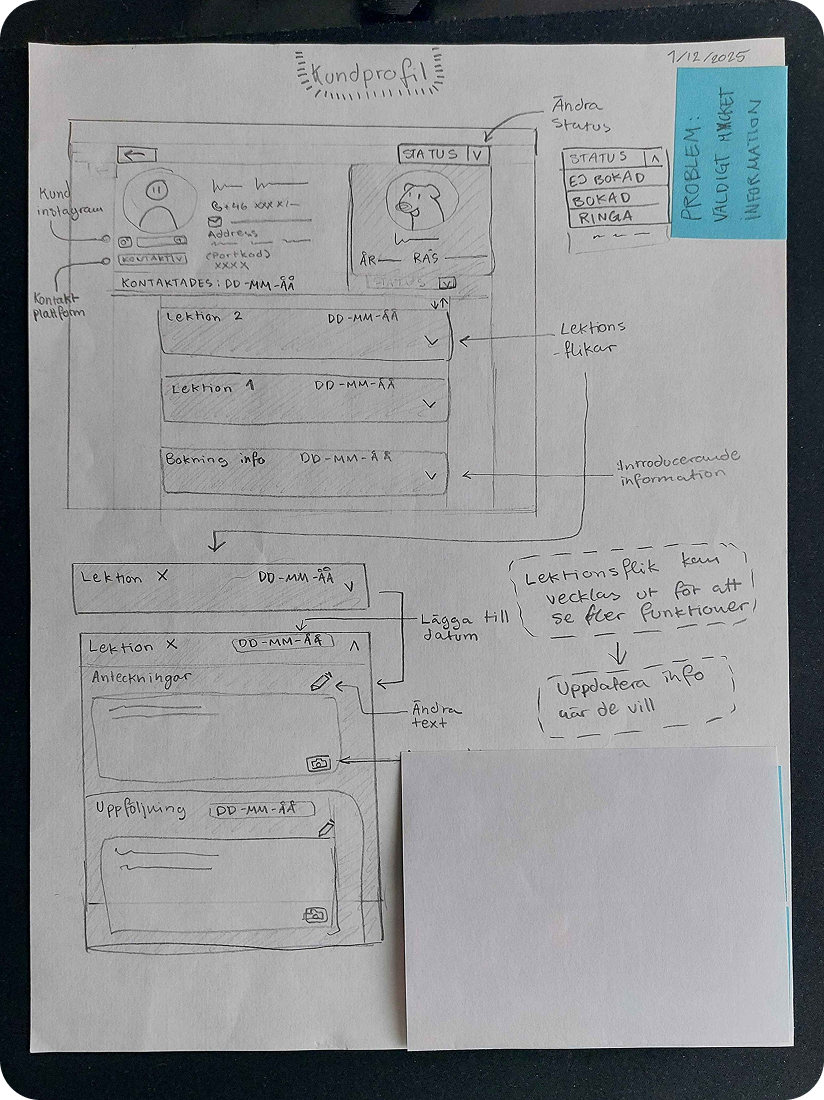
My wireframe sketches
I created an HTML prototype to test implementation of status functions while two other students created two Figma prototypes to test Look and Feel and overall interaction flow.
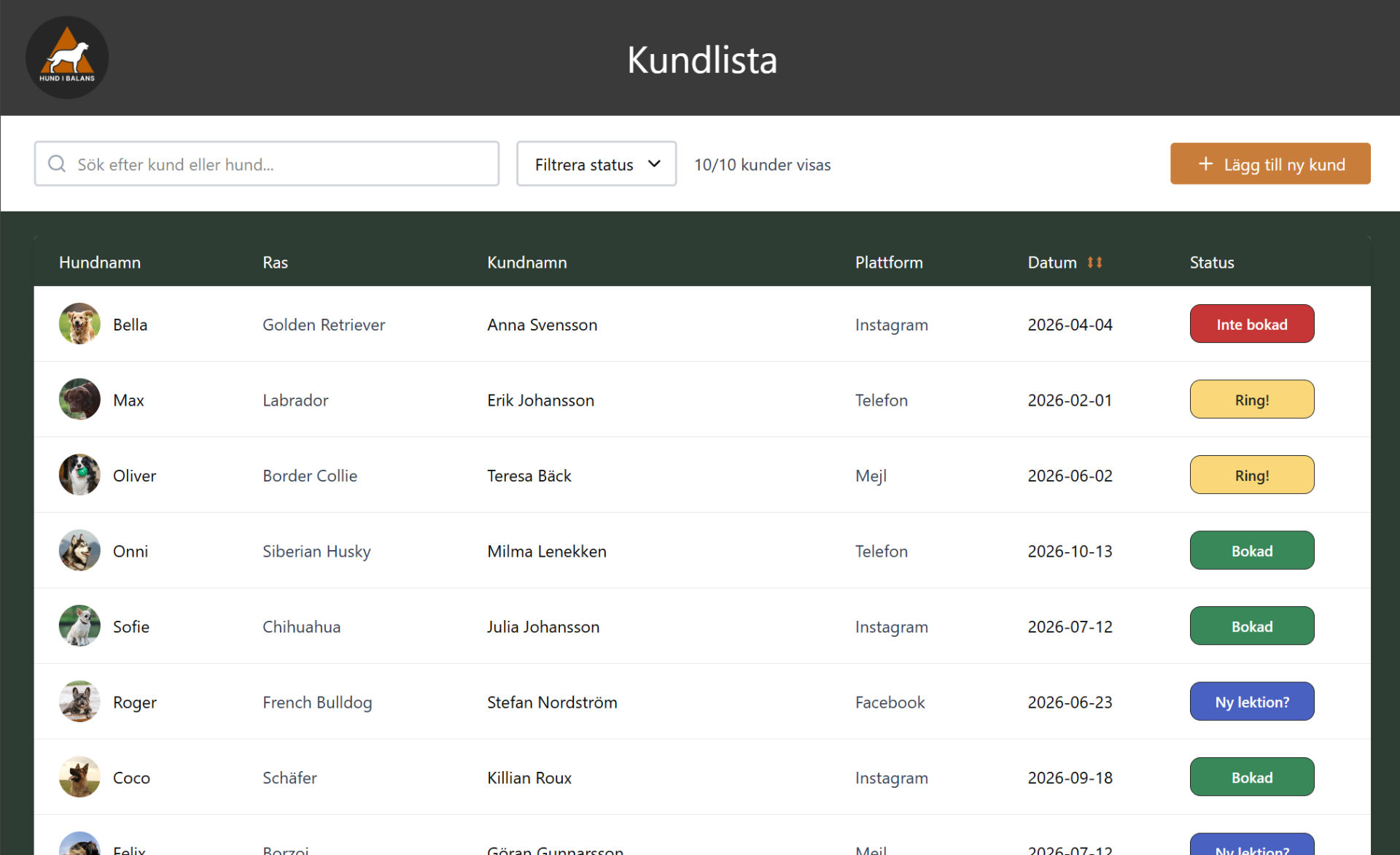
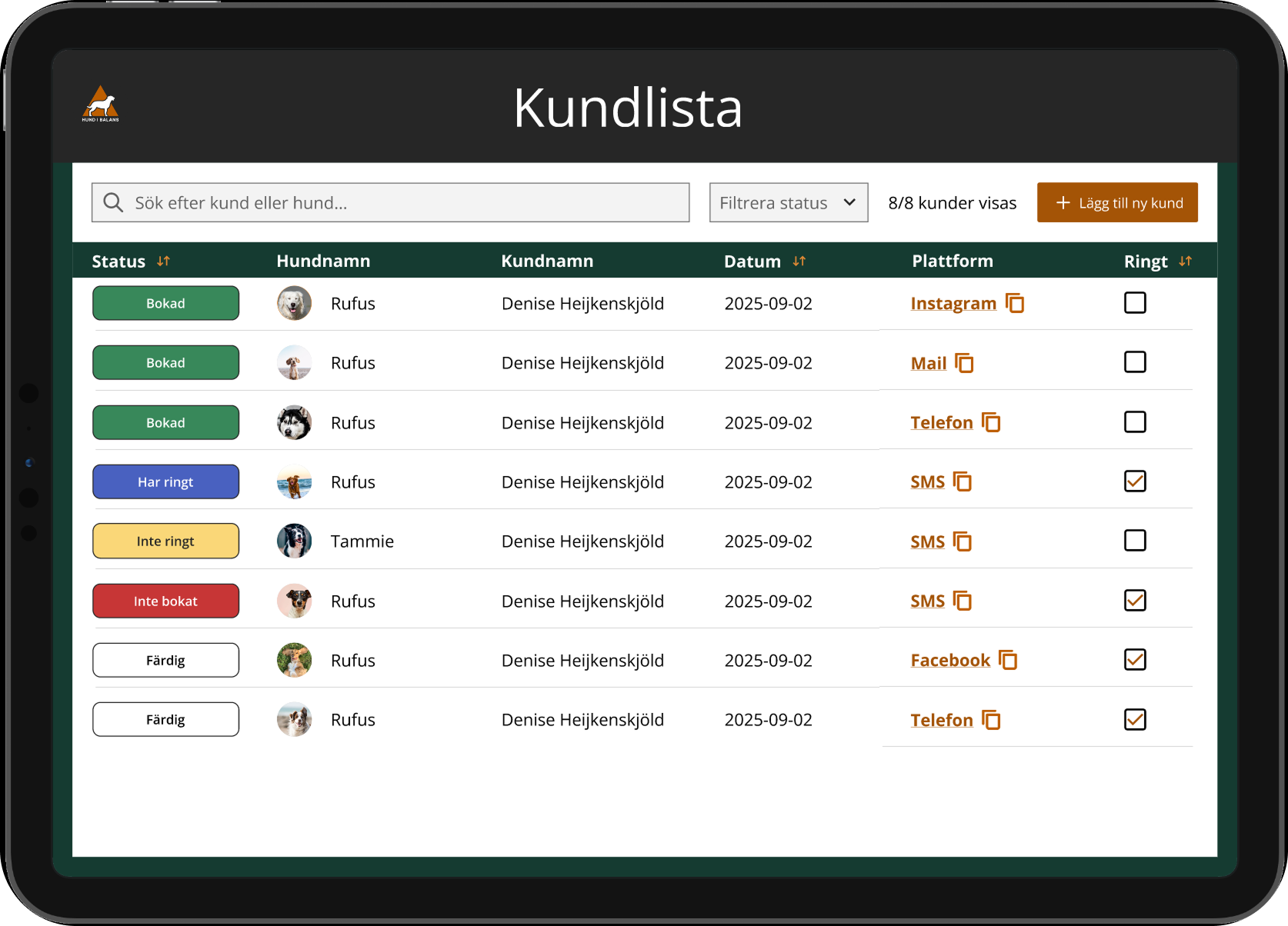
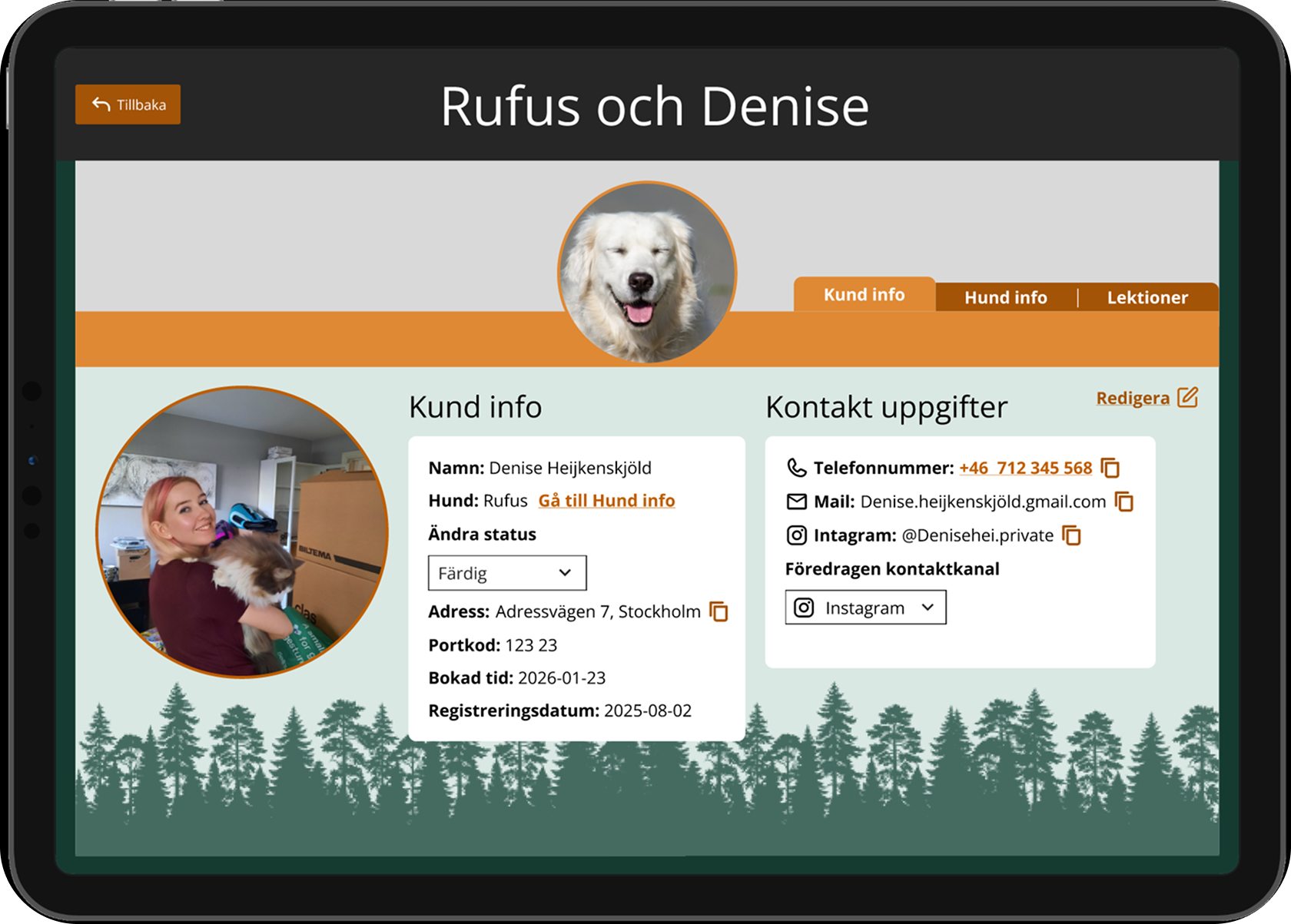
A high contrast interface with status pills and a table, for a fast scan of many clients at once and a customer profile with clear and divided information.
A softer pastel version with subtle warm colors and rounded corners for a friendly and personal page, with focus on the notetaking function combined with information view.
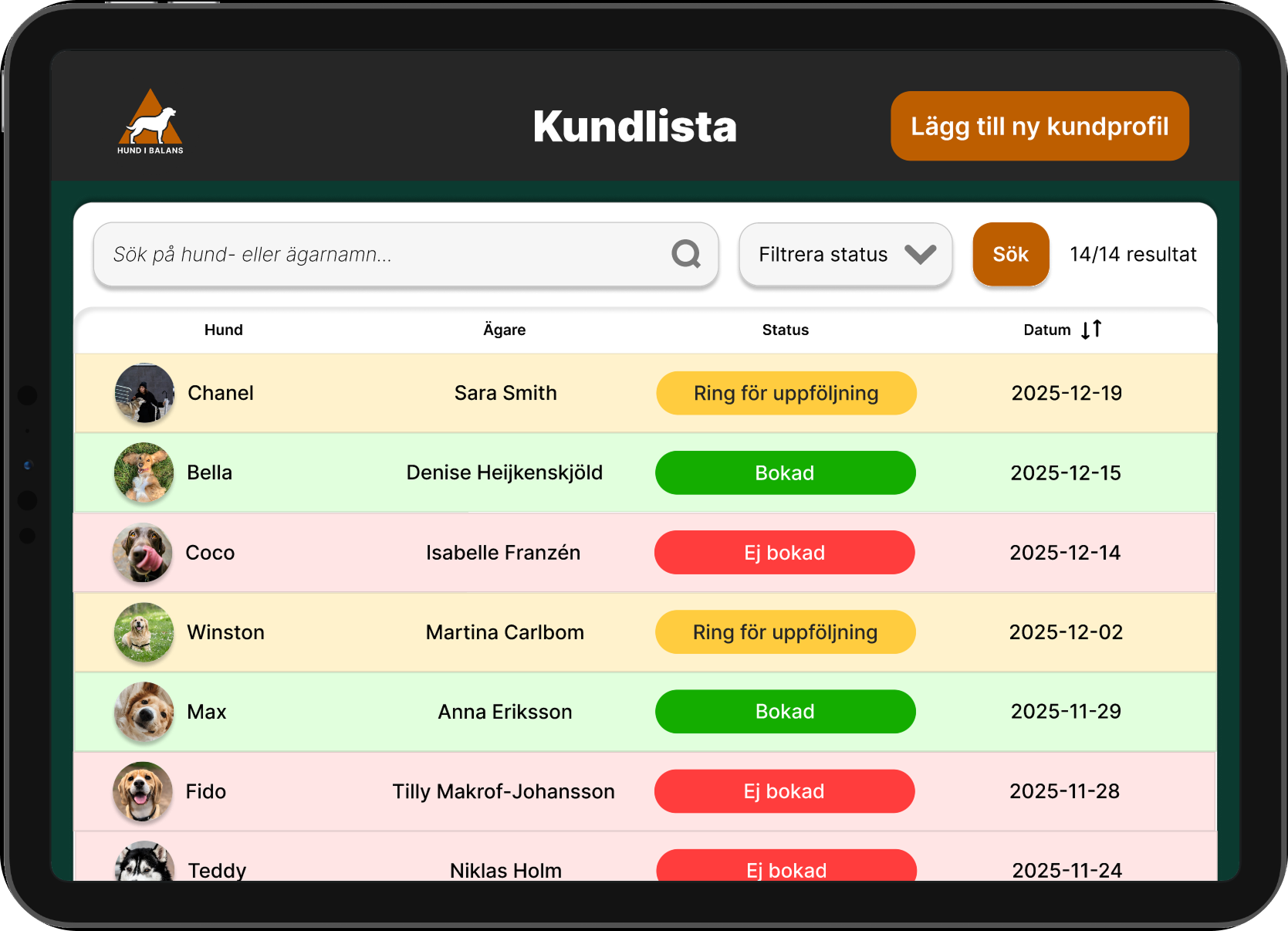
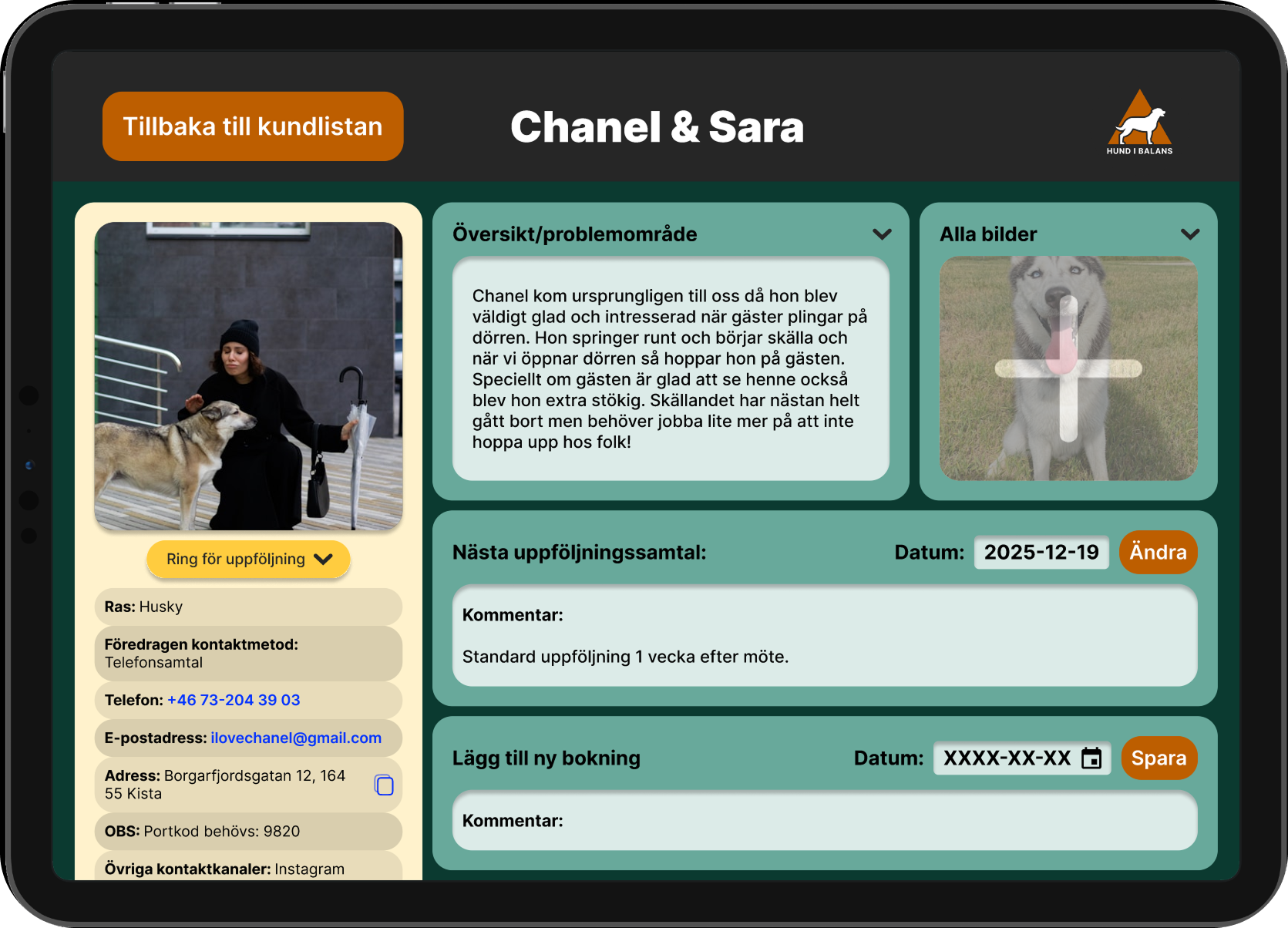
The prototypes were made interactive for evaluation.
The trainers and a client evaluated the prototypes through a Design Studio critique format - where participants provided structured feedback on all the prototypes.
Based on the feedback we kept the overall layout and style of alternative 1, filtering functions and separate pages for overview and details. We also rearranged the columns, combined client and dog page, made the contact information always available and removed client photo at their request. These changes ware namely to support the cognitive load on each view.
Along with reflection of the interaction design for the functions, the feedback guided the finalisation of a deliverable prototype.
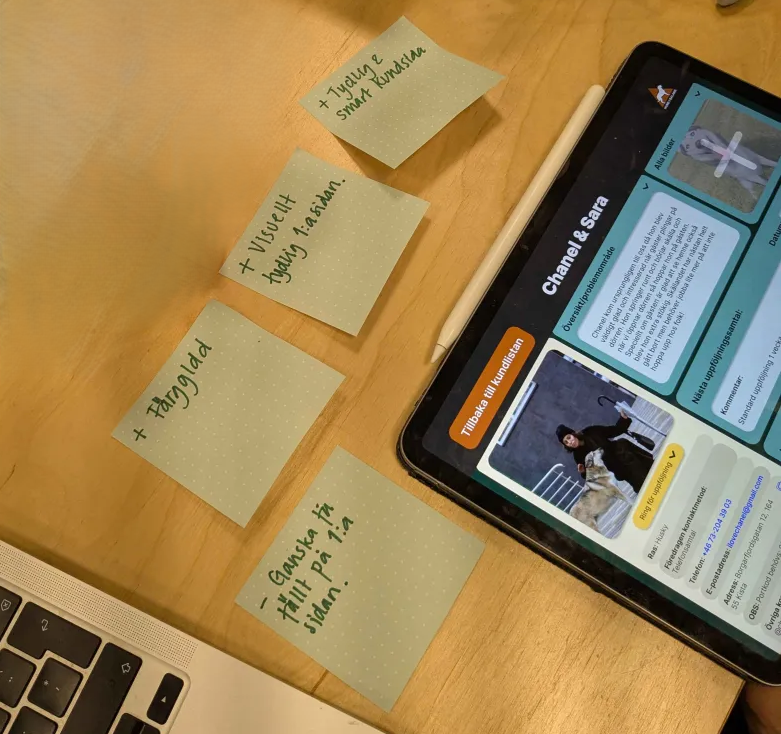
Feedback through Design Studio critique format
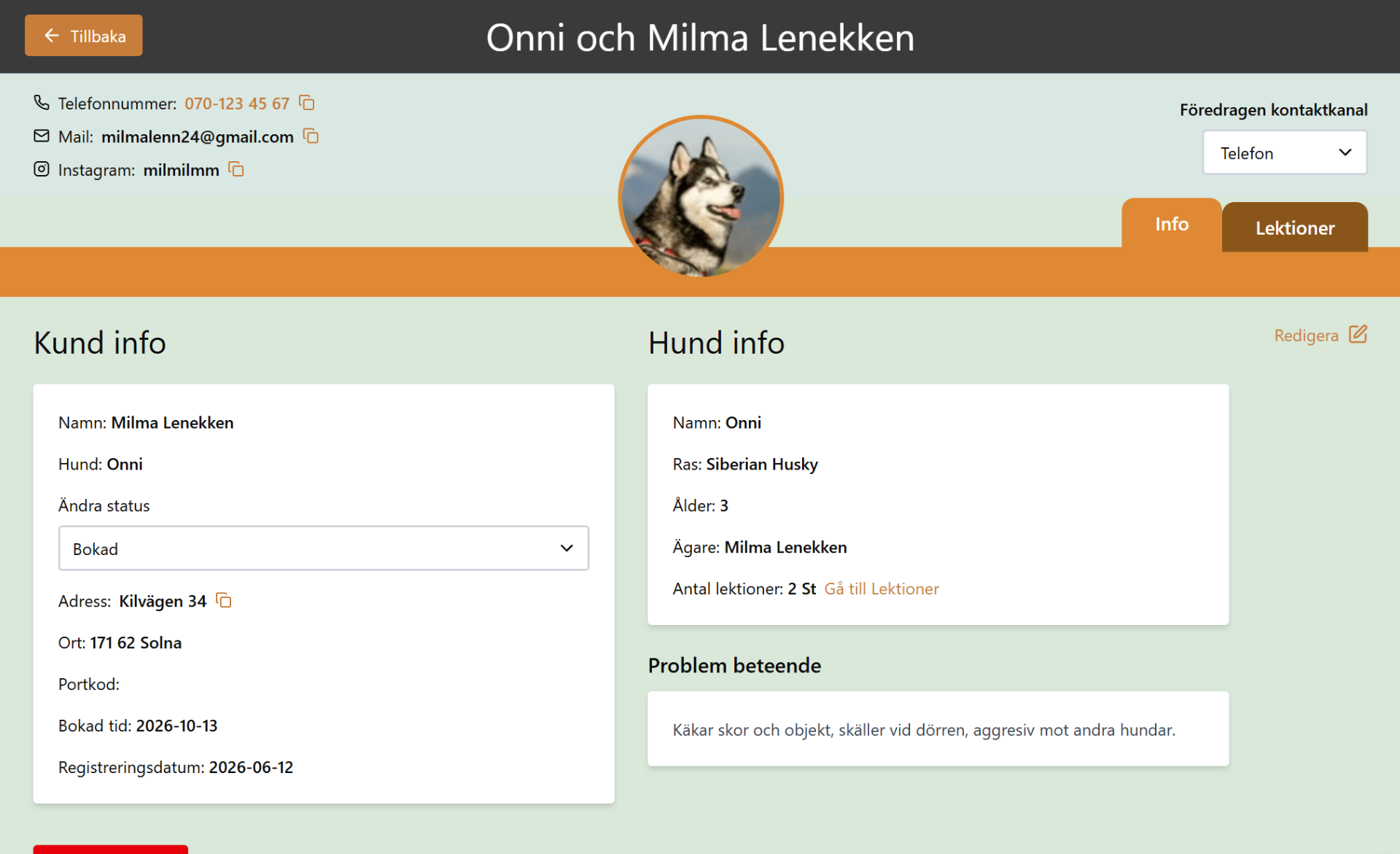
Our final prototype was a client database with a visual style inspired by the company's brand profile. It was first iterated and designed in Figma before being exported to FigmaMake. We connected it to a Supabase plugin to make the database functional and interactive for a testable prototype.
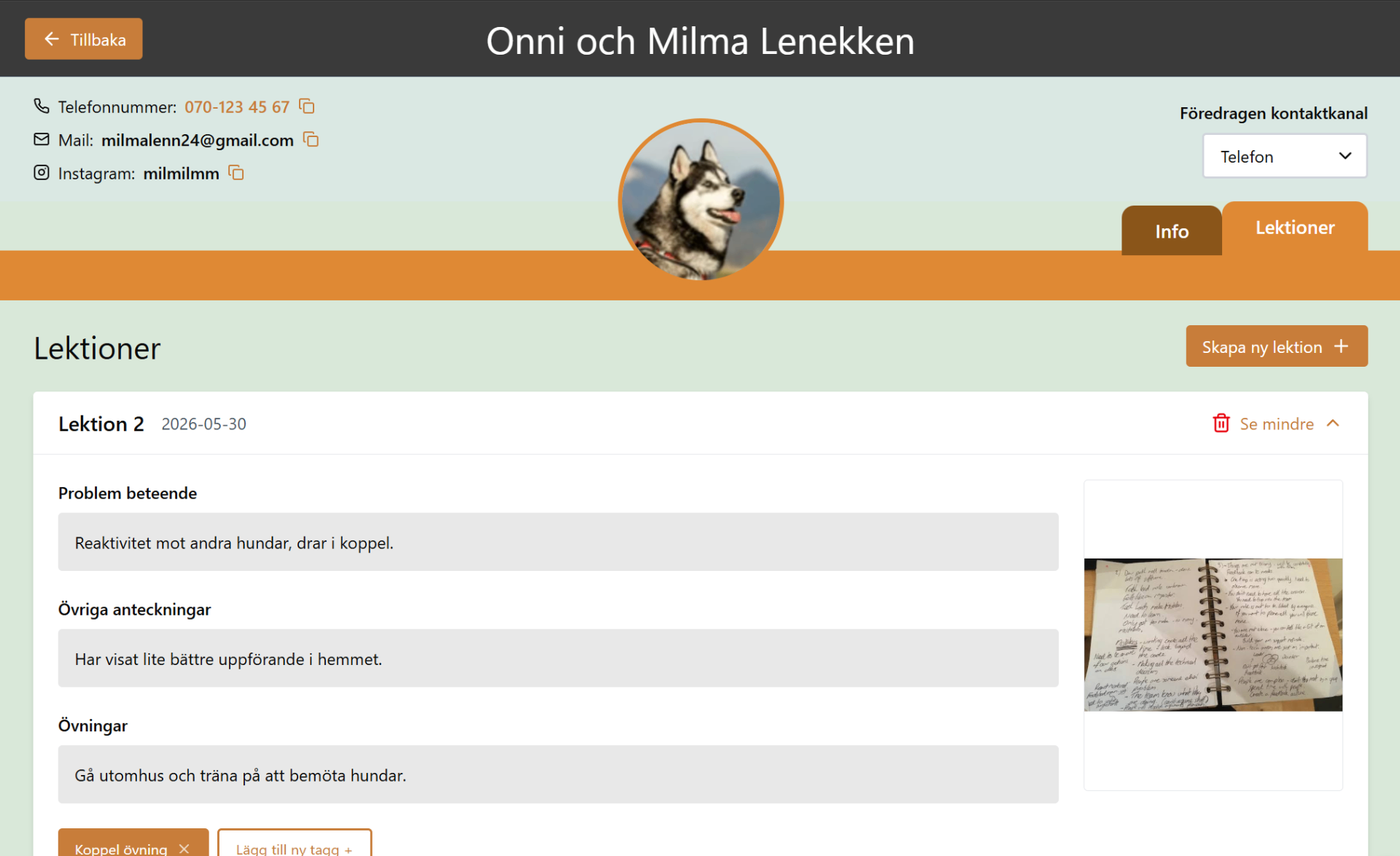
It consists of an informative client overview and client profiles with relevant information, images and a function to upload lesson notes. But how did we address their main problems?
They stored client statuses in a physical notebook, along with clients to book in different communication channels. This made them search inefficiently through the pages and communication channels or rely on their memory for who to call and when.
AfterWith the status function, the goal is to give a quick and viable overview for both dog trainers to stay up to date and avoid forgetting to call clients. The different statuses are digital replicas of existing instances they use.
Notes were written in one physical notebook which made it problematic when the dog trainers worked separately with different clients, but needed to stay up to date for a joint follow up. However, they wanted to keep the analogous note practice because they felt it was more natural when talking with clients.
AfterThe lesson page makes it possible to upload pictures but also write digital notes where the trainers can upload handwritten notes as well as note digitally outside of client interaction.
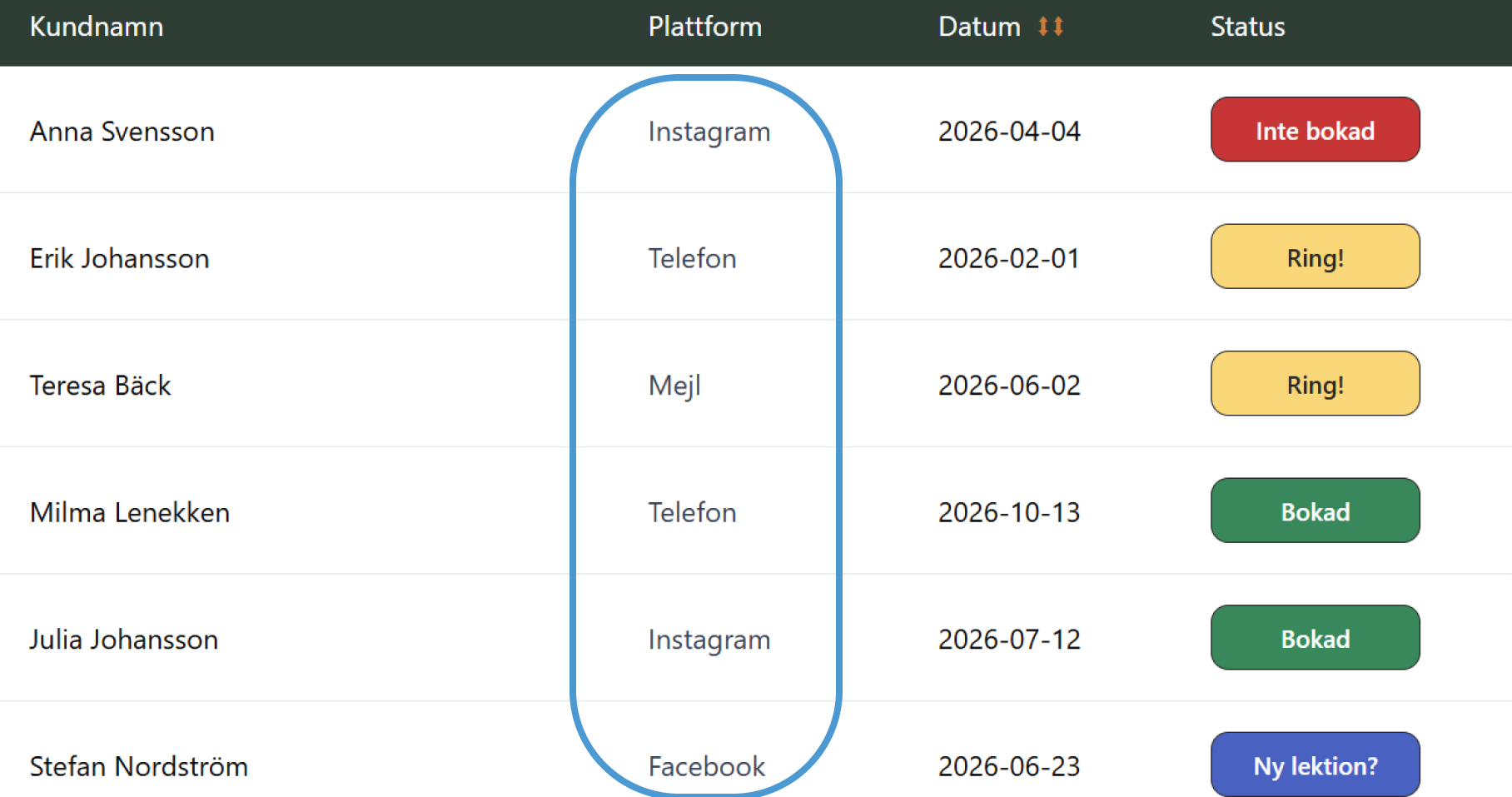
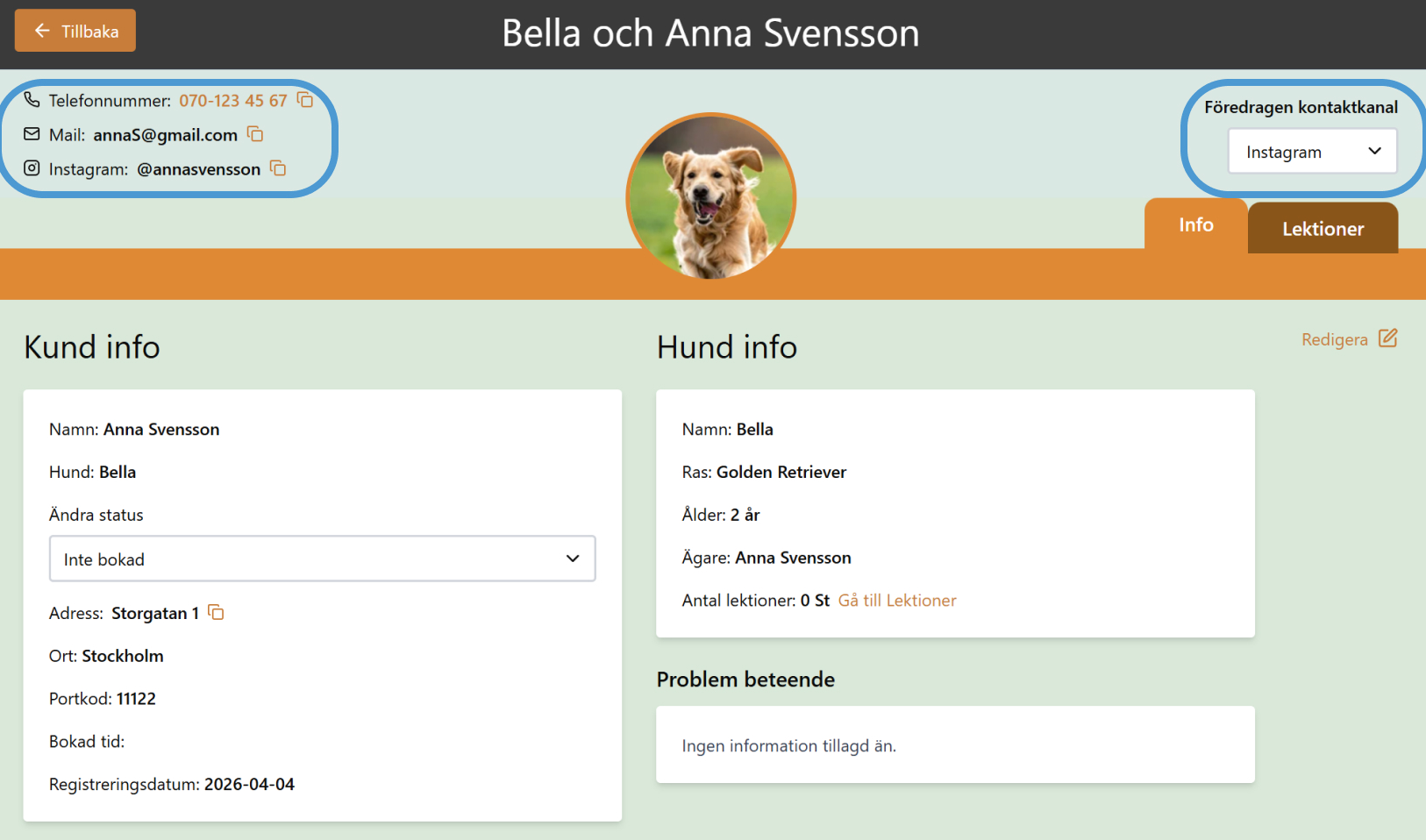
Their communication with clients was fragmented across multiple platforms (such as Instagram, Mail, Facebook and more) and it was difficult to keep track of. It was a problem for the trainers to quickly find and contact clients when needed and it felt like a "hassle" to look through.
AfterThe database has an overview showing the preferred contact path as well as structured the client's contact information on each individual profile. With this, the trainers could easily find the easiest contact path and the necessary contact information to easily keep in touch with clients.
We delivered the hi-fi figma prototype files, a design system and the figmamake prototype as guides for the trainers in case they would like to continue to build the tool.
The concept was well received by the trainers at Hund i Balans, who appreciated the insights into their workflow and the proposed prototype. The prototype showed how an internal client database could organise information while maintaining their flexible and personal approach.
The participatory design framework allowed us to combine the trainers’ expertise in their routines with our design skills. Their involvement was essential in creating a concept that was both practical and suited to their way of working.
This project gave me valuable methods and tools for facilitating workshops, and I think that the project showed how designing with users adds significant value. It also taught me that when you work with a smaller user base, it is okay to stray from certain design/industry standards if doing so means better supporting specific needs.
Overall, the project provided practical insight into participatory design methods, collaborative prototyping, and translating research findings into design concepts. By working closely with real users throughout the process it strengthened both the relevance of the concept and my understanding of user-centred design in practice.